
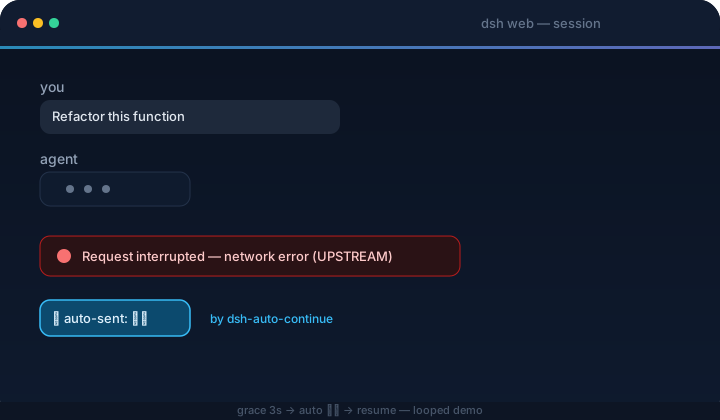
DSH Web UI plugin — when a request is interrupted by a network error or any other non-human cause, it automatically types 「继续」 and sends it for you.
功能特性
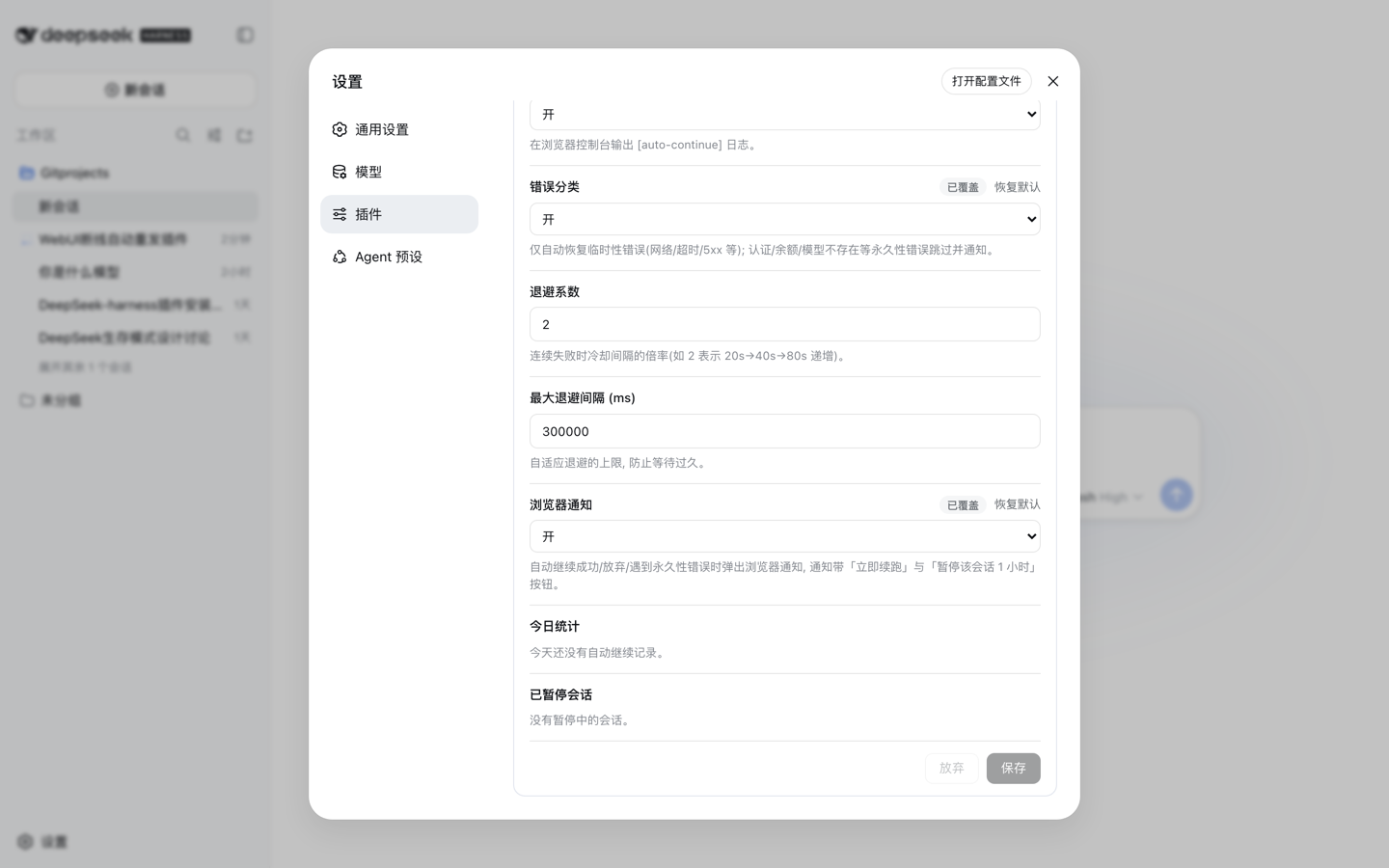
- Adaptive backoff — consecutive failures wait longer each time (cooldown × factor: 20s → 40s → 80s…), capped at the max backoff, instead of hammering a broken upstream
- Notification buttons — notifications carry Resume now (send immediately, ignoring cooldown and the consecutive cap) and Pause this session 1h actions
- Stats panel — the settings card shows today's auto-continue count, recoveries, failures, permanent skips and give-ups, broken down by error code, with a one-click reset
- Browser notifications — optional alerts when auto-continue fires, gives up, or hits a permanent error; the browser asks for permission on first use, and nothing is shown again after a denial
- Edits are staged — nothing reaches the disk until you hit Save; an unsaved badge marks the card while drafts are pending, and Discard drops them
- A field you changed shows an Overridden badge with a per-field Reset to default button that restores the built-in value
安装命令
dsh plugin --profile web add dsh-client-auto-continue项目预览


项目简介
DSH Web UI plugin: auto-sends 「继续」 to resume requests interrupted by network errors or other non-human causes — error classification, adaptive backoff, templated continue text, browser notifications, all configurable from the settings card