
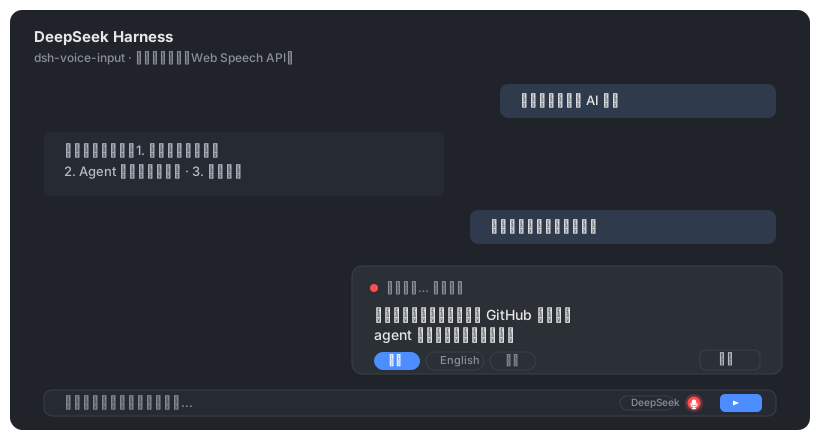
语音输入客户端插件(client plugin)——给 DeepSeek Harness Web GUI 的聊天输入框工具行加一个麦克风按钮:点击开始说话,浏览器 Web Speech API(Chrome / Edge 内置,免费、无需 API 密钥)把语音实时转成文字填入输入框。
功能特性
- 麦克风按钮位于输入框工具行右侧(发送按钮左侧,conversation.input.right 插槽)
- 点击开始/停止聆听;聆听时按钮红色脉冲,上方浮层实时显示转写中间结果
- 每段识别完成的最终文本自动追加到输入框草稿,可继续编辑后发送
- 浮层内可一键切换识别语言:中文 / English / 自动
- 可选自动发送:localStorage 设置 dsh-voice-input-web.autoSend = "1" 后,一段语音识别完成即自动发送
- 零依赖、零密钥、无服务端改动;识别完全在浏览器本地进行
安装命令
dsh plugin --profile web add dsh-voice-input-web项目预览
项目简介
Voice input plugin — a mic button in the composer tool row that turns speech into text live via the browser's Web Speech API (Chrome/Edge), with language switching and optional auto-send. Zero dependencies.